Dyson Hair Dryer Specs Wrong? Check Page, Order & Payment
By Marcus Feld Editor-in-Chief
| Published | |
|---|---|
| Updated |
After submitting a dyson hair dryer, if the model, color, attachments, or order records show inconsistencies, don't rush to pay again, and don't assume the correct variant was ordered just because the payment page says success. Instead, cross-check the product page, submission result, order details, and payment receipt as one record chain. 
Editor score 4.2 / 5
After submitting a dyson hair dryer, if the model, color, attachments, or order records show inconsistencies, don't rush to pay again, and don't assume the correct variant was ordered just because the payment page says success. Instead, cross-check the product page, submission result, order details, and payment receipt as one record chain.
First, lock down the variant you selected at submission
Save the following information first to avoid relying on memory when checking later:
- Product page URL and page title
- The model, color, and attachment options you selected at submission
- Order number or submission number
- Payment amount, payment time, and payment receipt
- The voltage, plug, and cable information shown on the page
- Screenshots before and after submission, especially the variant selection area and confirmation page
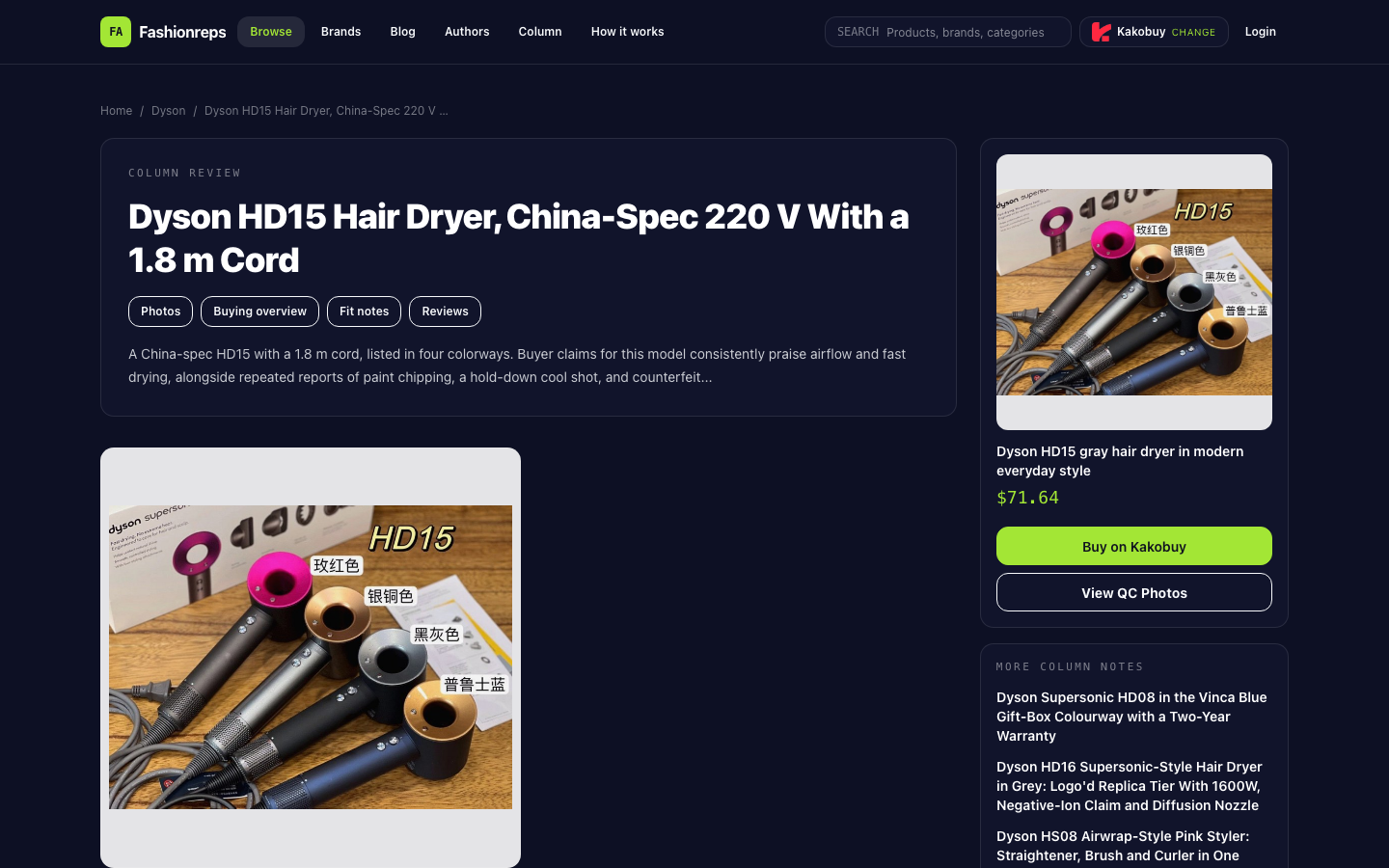
Verified product data shows that this page corresponds to the China-spec HD15, cataloged as 220 V, 1.8 m power cord, and lists four colors: rose red, black, Prussian blue, and copper gold. This catalog info can only be used to cross-check page fields; it cannot prove that your submitted order actually selected one of those colors or attachments.
Locate the inconsistency across four record layers
Layer 1: Product page
Check the model, color, attachments, and specs currently shown on the product page. If the page only has one option but you remember selecting a different variant at submission, go by your saved submission screenshot, not by reordering immediately.
Also distinguish between model fields and spec fields. For example, 220 V and 1.8 m cable are specs, not an attachment list. Don't infer accessories that are not explicitly listed on the page based on images or other buyers' descriptions.
Layer 2: Submission result or parsing result
Compare the product name, model, color, and attachment fields generated after submission, and check if they still point to the same product link. Focus on three types of errors:
- Model name truncated, altered, or replaced with a similar series
- Color name inconsistent with what you selected before submission
- Attachment field empty, duplicated, or containing accessories you didn't select
If only the name format changed but the product link, model field, and variant options are the same, it might just be a display difference. If the product link or variant fields also changed, you can't assume it's the same product just because the name is similar.
Layer 3: Order details
Open the order details and verify that the order number corresponds to the product link, model, color, attachments, quantity, and status. Order details are more reliable than the list page name for identifying the order.
If the order details lack model or attachment fields, note the missing information and don't infer the actual order content from the product main image. Product data also indicates this channel has counterfeit and gray market risks, so if the model, serial number, warranty terms, and variant info don't match, stop further actions and ask the order party to confirm.
Layer 4: Payment record
The payment record mainly confirms the payee, amount, and time; it doesn't prove the product model or attachments. Keep the payment receipt alongside the order number, product name, and submission time, and check for the following:
- Payment time earlier than order generation, with no corresponding order number
- Payment amount matching another order
- Payment successful but order still lacking clear model or attachment info
- Same order paid twice or multiple pending records
Even if payment succeeded, as long as the model or attachments can't be matched, do not pay again. Final costs, service fees, international shipping, and stock status cannot be directly inferred from this set of page info.
When to proceed and when to pause
You can proceed when: product link, model, color, attachments, and order number all correspond, and the payment record clearly points to the same order. In that case, save screenshots and order records, and wait for the order party to update status according to their normal process.
Pause ordering, making additional payments, changing accessories, or resubmitting if any of the following occurs:
- Model cannot be matched across product page, submission result, and order details
- Order attachments differ from what you selected at submission
- Order number missing, or payment record cannot be linked to the order
- Page asks for additional payment without clearly specifying the corresponding model and attachments
- Seller or agent cannot confirm serial number, voltage, warranty, and variant info
- Order status unclear, but you're asked to pay again for the same product
Pausing doesn't mean the order is canceled or the product is out of stock. It just means current evidence is insufficient to confirm you'll receive the correct model and attachments.
Contact order support with complete evidence in one go
When contacting the order support of your chosen shopping agent, provide all of the following at once:
- Product link and product page screenshot
- Screenshot of model, color, and attachments selected before submission
- Screenshot of submission result or parsing result
- Order number and order details screenshot
- Payment receipt, payment time, and amount
- The specific question you need confirmed, e.g., "Please confirm if the order is the 220 V HD15, and whether the attachment field matches what was selected at submission"
Don't just send conclusions like "specs are wrong" or "attachments are missing." Support needs to see the full field chain to determine if it's a page display discrepancy, parsing error, order entry mistake, or payment record linkage error.
When confirming, also ask separately about serial number, warranty terms, plug specs, and return/exchange conditions. Verified data mentions this page lists 7-day no-reason return, 1-month replacement for non-user damage, and 5-month factory warranty, but return shipping costs, applicability, and actual implementation conditions still need to be confirmed by the order party; don't assume you're covered just from the product page summary.
Conclusion on cross-checking
The key to judging this issue isn't whether the payment page shows success, but whether four identity pieces close the loop: product link, model & variant, order details, and payment record. Proceed only when all four match; if the model or attachments can't be matched, keep evidence, pause repeated payment, and ask order support to confirm explicitly. Don't treat page images, similar product names, or payment success status as proof of the actual variant and attachments.