How to Check lululemon Savings: Fees & Exchange Rates
By Marcus Feld Editor-in-Chief
| Published | |
|---|---|
| Updated |
What Ordering Task Does This lululemon Savings Guide Solve This guide solves a specific problem: after seeing lululemon items on fashion-reps, how to determine whether the reference prices, promotions, service fees, handling fees, international shipping, and exchange rates on the page can truly lower your final payment cost. After reading, you can accomplish three things: record current product page information, verify promotion eligibility item by
Editor score 4.2 / 5
What Ordering Task Does This lululemon Savings Guide Solve
This guide solves a specific problem: after seeing lululemon items on fashion-reps, how to determine whether the reference prices, promotions, service fees, handling fees, international shipping, and exchange rates on the page can truly lower your final payment cost.
After reading, you can accomplish three things: record current product page information, verify promotion eligibility item by item, and calculate a confirmable total cost before submitting your order. This article does not apply to situations where you have already left the fashion-reps product page, cannot open the settlement details, or the promotion entry does not display specific rules.
This article only uses currently visible brand page information from fashion-reps. Prices and page status are time-sensitive; verification date is October 9, 2026, currency is USD. Page prices are reference only, not equivalent to final order price, nor do they represent the lowest price or guarantee available savings.
First Verify the Current fashionreps Product Page and Visible Price Information
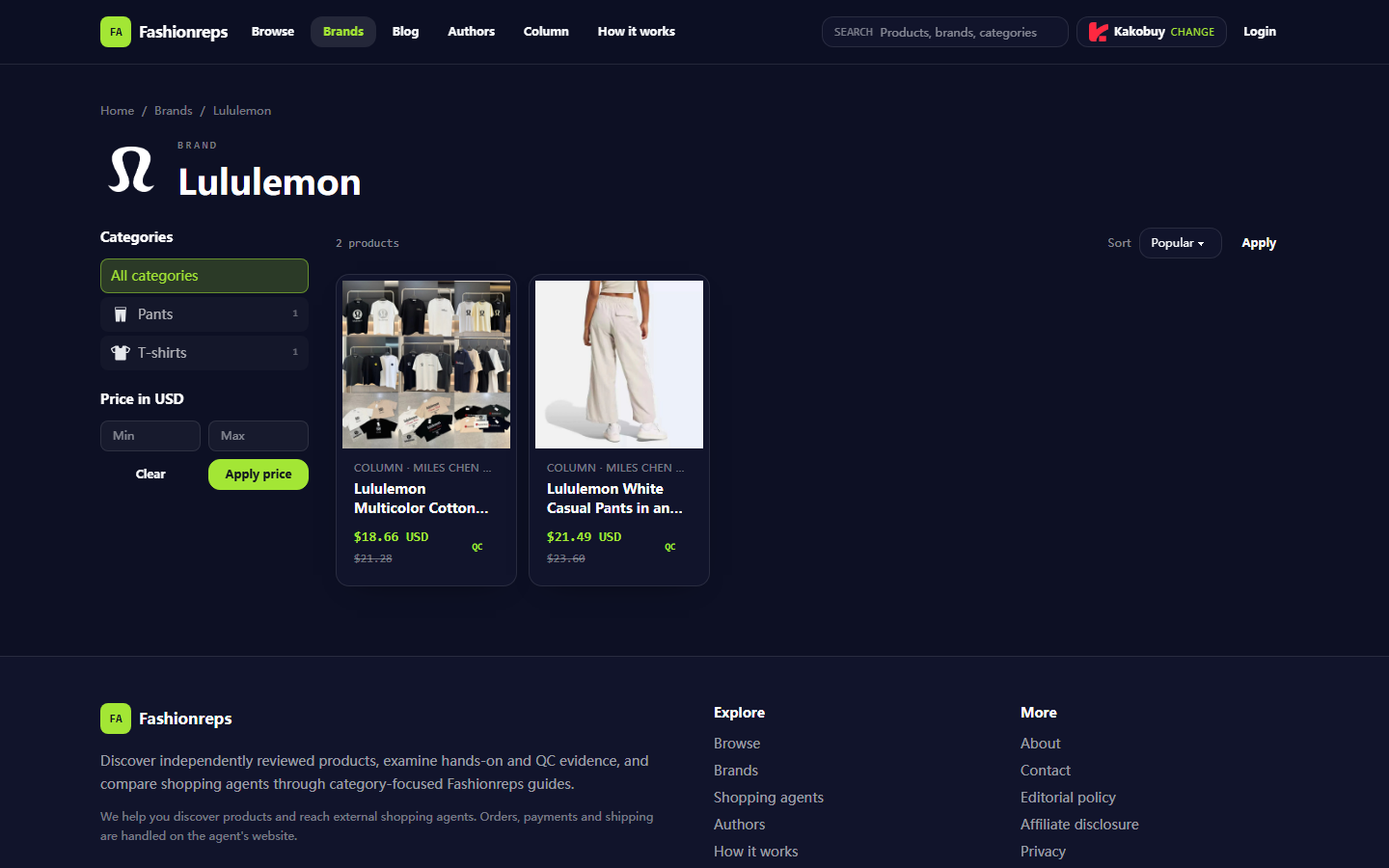
The Lululemon brand page on fashion-reps currently displays 2 items, categorized as pants and t-shirts. Visible products and reference prices are as follows:
| Product | Visible Reference Price | Previous Reference Price | Items Needing Further Verification |
|---|---|---|---|
| Lululemon Multicolor Cotton Tee Collection, S–XL, relaxed crew neck | 18.66 USD | 21.28 USD | Specific colors, sizes, inventory, checkout price, product scope |
| Lululemon White Casual Pants, everyday cut | 21.49 USD | 23.60 USD | Waist or size, inventory, checkout price, product scope |
The "previous reference price" shown on the page is only for comparison and cannot be directly treated as savings. What truly needs confirmation is the actual product amount shown by the system after adding the selected variant to the cart.
Before continuing to check promotions, save the product name, selected size or variant, page reference price, and verification date. If the product name, price, or visible information disappears after page navigation, pause calculations and do not substitute old brand page information for checkout page data.
Find Out the Promotion Code or Event's Claim Entry, Threshold, and Validity Period
The current provided materials only show fashion-reps' Lululemon brand page and product reference prices; they do not provide confirmable coupon codes, claim entries, usage thresholds, validity periods, or applicable order scopes. Therefore, you cannot directly write page reference price changes as promotions, nor infer the existence of fixed discounts.
After opening the product or shopping platform's checkout process, record in the following order:
- Whether the promotion requires login, registration, or prior claiming.
- Whether the threshold is based on product amount, product quantity, order total, or specified delivery method.
- Which currency the threshold uses, and whether it is judged on pre-discount amount.
- Whether the promotion is limited to new users, specified regions, specified products, or specified variants.
- The start and end times of the validity period, and whether it is based on claim time or order submission time.
- Whether the discount reduces product amount, service fees, shipping, or only offsets a specific fee item.
- Whether the checkout page truly displays the discount amount, rather than just promotional text.
If the promotion entry does not display clear thresholds or validity periods, record it as "conditions not fully verified" and do not include it in estimated savings. 🧾
Separately Confirm Product Scope, Variant Restrictions, and Exclusions
Whether a promotion applies to the entire product cannot be determined solely by brand name. The Lululemon brand page currently lists both t-shirts and pants, but the applicable scope may differ for these two items; the page materials do not provide a unified promotion rule, so each item must be verified individually.
At minimum, check the following:
- Whether the promotion applies to t-shirts, pants, or only one category.
- Whether the selected size is still within the available range. The t-shirt page shows sizes S–XL, but specific options and inventory still need confirmation on the product page.
- Whether color, size, or other variants change the price.
- Whether the item is an excluded item, clearance item, or special delivery item.
- Whether the same promotion limits purchase quantity.
- When mixing multiple items in one order, whether only some items participate in the promotion.
Do not assume that two products can use the same promotion just because both are Lululemon. Record the actual checkout amount for each product separately first, then determine whether the threshold is met.
Include Service Fees, Payment Processing Fees, Handling Fees, and International Shipping in Total Cost
Product reference price is only part of total cost. The fashion-reps page states that users can choose a shopping agent, and the Buy button will lead to the selected agent; orders, payments, and shipping are handled by the agent's website. Therefore, service fees, payment processing fees, handling fees, and international shipping shown on the agent's checkout page must be based on the actual agent page.
Use the following sequence to build a settlement record:
Product amount = amount shown on checkout page for selected product and variant
Post-discount product amount = product amount − discount actually confirmed on checkout page
Order-related fees = service fee + payment processing fee + handling fee
Logistics-related fees = international shipping + other shipping fees listed on page
Final payable amount = post-discount product amount + order-related fees + logistics-related fees + applicable taxes
The materials do not provide specific values for the above fees, so this article cannot calculate a definite final price, nor claim that a certain combination saves a specific amount. If the agent page only shows estimated shipping, mark it as an estimate and recheck after weighing, packing, or selecting a shipping line. 💳
Also confirm whether fees are already included in the product page amount to avoid double-counting the same fee. In particular, distinguish product amount, agent service fee, payment channel fee, and international shipping; they typically appear in different settlement sections.
Record Exchange Rate Currency, Conversion Time, and Page Conditions
The two reference prices on the brand page are both in USD. If your payment account uses another currency, do not estimate final expenses based solely on exchange rates from search engines or bank homepages. Payment platforms may use their own conversion time, exchange rate, and fee rules.
Record the following information:
- Original currency on product or checkout page.
- Account currency you plan to pay with.
- Exchange rate source and viewing time.
- Whether the payment platform charges additional currency conversion fees.
- Final local currency amount displayed on checkout page.
- Whether exchange rate changes affect promotion thresholds.
When converting, first confirm whether the discount is deducted in USD or converted to local currency only after payment. If the promotion threshold is calculated in USD, you cannot infer that the threshold is met just because the local currency amount is close.
Example record: product checkout amount is the USD value actually displayed on the page; payment platform shows corresponding local currency amount at a certain time; with or without currency conversion fees. The fields in the example are for evidence preservation and do not indicate that this order has a fixed exchange rate or fixed fees. 💱
How to Stop Misjudgment When Promotions Cannot Be Stacked or Information Is Incomplete
When promotions cannot be stacked or rules are incomplete, the safest approach is not to keep guessing but to retain two comparable settlement results: total cost without promotions, and total cost with the promotion plan actually accepted by the checkout page.
Pause submission when the following occurs:
- Promotion code shows invalid, but page still advertises the event.
- Page does not state minimum spend or applicable product scope.
- Checkout page does not show discount details.
- Product price changes after adding to cart without explanation.
- Shipping, service, or payment processing fees not yet shown.
- Local currency conversion differs from final payment page amount.
- Order involves taxes or import fees, but page does not state who bears them.
- You cannot confirm whether promotion applies to the target country or region.
Do not create so-called savings by splitting orders, under-declaring amounts, or evading platform and customs checks. Taxes, import restrictions, and required documentation should be handled according to destination country rules and agent page requirements. If final costs are still incomplete, delaying the order is safer than assuming it is cheap based on incomplete information. ⚠️
Final Action: Save Pre-Settlement Evidence and Decide Only Based on Actual Displayed Results
Before ordering, save a record without personal payment information, at least including: product name, variant, product page reference price, checkout page product amount, promotion name or code, threshold, validity period, service fee, payment processing fee, handling fee, international shipping, tax explanation, exchange rate currency, and verification date.
The confirmable page reference prices from this material are: t-shirt 18.66 USD, pants 21.49 USD; the page also shows previous reference prices of 21.28 USD and 23.60 USD respectively. The material cannot confirm available promotions, agent fees, international shipping, payment processing fees, real-time inventory, or final exchange rate, so no definite savings amount can be concluded.
This verification method is suitable for buyers who have selected specific products and variants, can open the agent's checkout page, and are willing to check fee details before payment. If you only see the brand page, the promotion entry lacks rules, or final costs are not yet displayed, do not treat page reference price differences as savings, nor submit orders based solely on estimates.
After completing verification, decide whether to order based only on the promotion actually accepted by the checkout page and the final displayed fees. Save evidence, then proceed with payment, warehouse inspection, package consolidation, shipping, and tracking.
Article Image
