How to Verify Discounts and Final Cost for Polo Ralph Lauren
By Marcus Feld Editor-in-Chief
| Published | |
|---|---|
| Updated |
One Goal for Verifying Your polo ralph lauren Jacket Checkout Before buying, the goal isn't just to see "how much cheaper it looks on the page." It's to confirm which amounts are already locked in from the product price to the actual payment, which ones can still change, and whether the discount terms really apply to your current order. This article is for users who plan to find products on fashion-reps and then jump to a shopping agent to complete the purchase; it doesn't apply to orders tha
Editor score 4.2 / 5
One Goal for Verifying Your polo ralph lauren Jacket Checkout
Before buying, the goal isn't just to see "how much cheaper it looks on the page." It's to confirm which amounts are already locked in from the product price to the actual payment, which ones can still change, and whether the discount terms really apply to your current order. This article is for users who plan to find products on fashion-reps and then jump to a shopping agent to complete the purchase; it doesn't apply to orders that are already paid or that need after-sales dispute handling or customs duties.
After reading, you should be able to do three things: save product and discount evidence, check checkout costs item by item, and pause payment if amounts or conditions change. Page prices, stock, discount rules, service fees, shipping fees, and exchange rates can all change. This article doesn't provide current amount data, so it only offers a reviewable verification process, not a fixed total price or guaranteed savings. 🧾

First Confirm Style, Size, Color, and Link on the fashionreps Product Page
On the product page, first confirm the product name, specific style, color, and size options. Don't rely only on the brand name or search result title, because the same brand might mean different sellers, different fabrics, different seasonal styles, and different size charts.
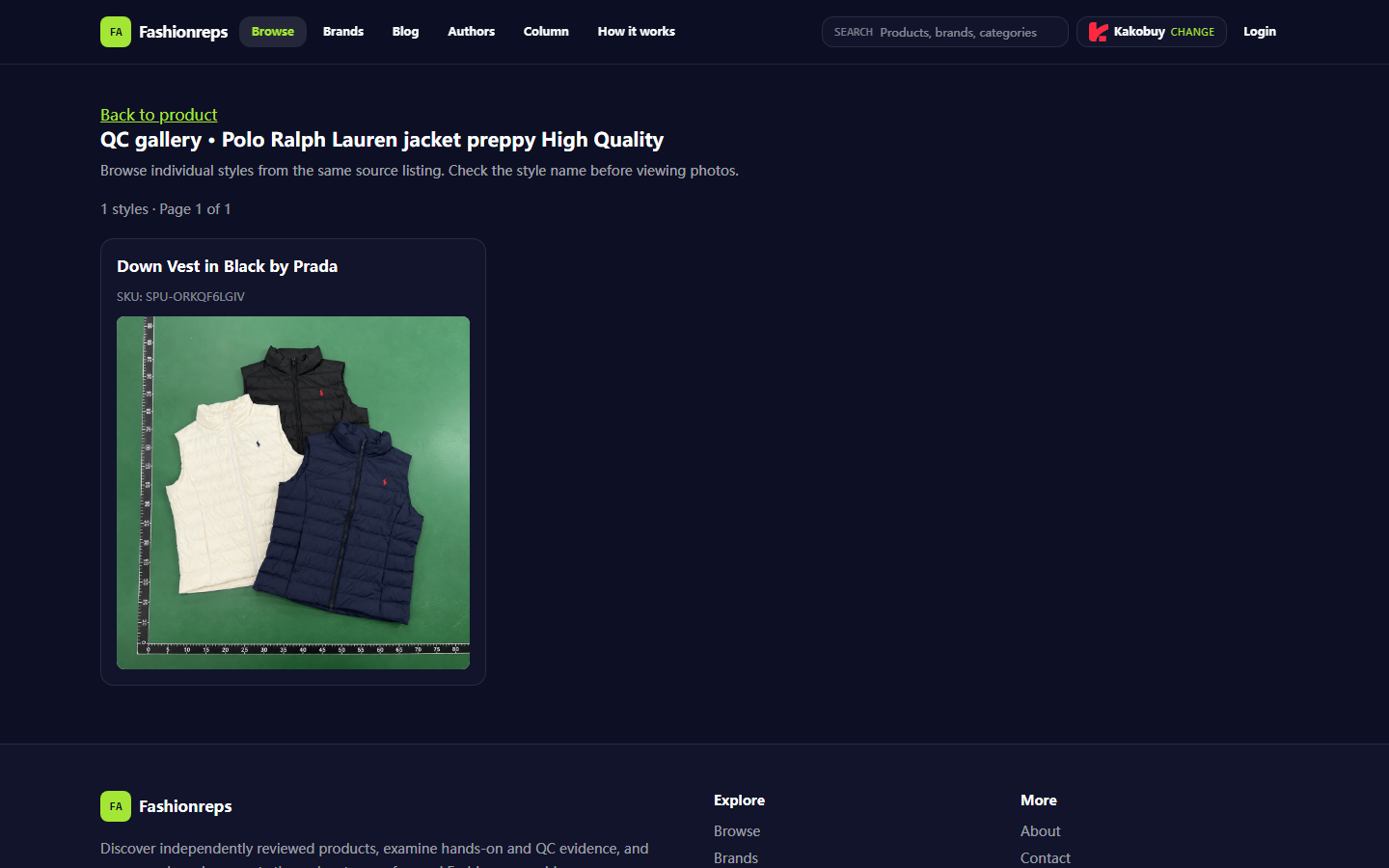
The currently visible page info includes the product title "Polo Ralph Lauren jacket preppy High Quality" and provides a QC gallery. The page also reminds you to check the style name first, then look at the pictures. This info only proves that the page has a product display entry; it alone doesn't prove stock, material, authenticity, final price, or availability.
Save this evidence:
- Product page screenshot or saved page record
- Product title, style name, color, and size
- Product price and currency shown on the product page
- Page update time or your verification date
- The product link used before entering the shopping agent
If the detail page only has images and no clear product name or price field, don't treat it as valid evidence for checkout calculations. If the page redirects, shows blank, or you can't confirm the style, stop further cost comparisons. 🔎
How to Keep Original Page Evidence for Product Price and Service Fees
The product price is the starting point, not the final cost. First record the original currency and amount on the product page, then confirm whether the shopping agent page recalculates, converts currency, or adds service fees. Don't write the product page price directly as the "final price."
Before checkout, record these amounts separately:
| Fee Field | What to Check | What You Can't Assume |
|---|---|---|
| Product price | Does currency, style, size, color match? | Doesn't include service fees, packaging fees, or international shipping |
| Service fee | Is it calculated on product price, order amount, or other rules? | Can't be inferred from product page price |
| Packaging or storage fees | Do they change with packaging method, storage time, or order status? | Doesn't mean they are always charged or waived |
| International shipping | Route, chargeable weight, volumetric weight, number of packages, and surcharges | Can't be estimated from product price |
| Exchange rate and payment fees | Settlement currency, platform exchange rate, payment channel surcharge | Page display amount may not equal card charge |
If the service fee or other fees are not clearly shown in the current order, mark them as "pending confirmation at checkout," not a guessed number. Don't fill in unsupported amounts using averages, old orders, or other product prices. 💳
How to Check Coupon or Savings Terms: Validity, Threshold, and Exclusions
Discount terms must match your current order item by item. Just seeing a coupon code, banner, or the word "save" isn't enough to prove the discount is applied.
Follow this order:
- Confirm which platform the discount applies to: product page, shopping agent page, or payment channel.
- Confirm the validity period and record the verification date. If no date is given, don't treat it as currently valid.
- Confirm the usage threshold, such as minimum order amount, specific route, specific user, or specific payment method.
- Confirm exclusions, such as specific brands, product categories, storage, or logistics routes.
- After entering the coupon code on the checkout page, confirm the discount actually appears in the fee details.
- Record whether the discount applies to product price, service fee, shipping fee, or only one of them.
If nothing changes after entering the discount, or a new restriction appears on the checkout page, follow the checkout page's display and save evidence before and after the change. Don't mistake entering a coupon code for an active discount. 🏷️
Payment, Packaging, Shipping, and Exchange Rate: Which Fields Must Be Confirmed Separately
Final cost verification should start from the order breakdown, not work backward from the total. Check that product quantity, size, and color still match the product page, then review service fees, packaging options, storage status, international shipping route, chargeable weight, and payment currency.
Packaging choices can affect cost and risk. Combining packages may reduce repeated fixed operations or first-weight costs, but may increase package volume, declared value concentration, and one-time loss risk; splitting packages may increase fixed fees, but may suit route restrictions, product restrictions, or risk diversification. Without current order weight, volume, and route data, you can't claim one option is always cheaper.
Exchange rates must also be recorded separately. The conversion amount shown on the page, the rate used by the payment channel, and the final card charge may differ. If the checkout page shows only one currency, confirm whether automatic conversion or extra fees will occur at payment. Don't use the exchange rate from the article's publication date instead of the actual rate at payment.
How to Rewrite as a Verification Process When Current Amounts or Official Terms Are Missing
When product price, service fees, discount rules, or shipping fees lack current evidence, articles and purchase records should use conditional wording. For example:
- "The amount shown on the checkout page is the current order verification value," not "the final amount will definitely be this."
- "If the discount terms cover this fee item, the order breakdown should show a corresponding reduction," not "enter the coupon code to save money."
- "Shipping fee must be confirmed after weight, volume, and route are determined," not "this jacket's shipping fee is fixed at a certain amount."
- "The exchange rate is subject to the payment channel's actual rules," not using an untraceable conversion number.
If the page has no visible amount, official discount terms, or clear fee breakdown, keep the "unverified" status. When data is missing, the most reliable result isn't an estimated total, but a list of fields that must be completed before payment. ✅
Stop and Recheck Conditions When the Checkout Page Changes
Pause payment if:
- Product title, style, size, or color doesn't match your original record
- Product price, currency, or quantity changes without a clear explanation
- Coupon code shows as entered but no clear discount result
- Service fee, packaging fee, or shipping fee suddenly appears with no calculation basis
- New route, product, or payment restrictions appear on the checkout page
- Shipping route, chargeable weight, or volumetric weight isn't determined but final fee confirmation is requested
- Page redirects to an unverifiable payment page or the order breakdown is incomplete
When rechecking, reopen the product page and checkout page, confirm the order number or temporary order info, and save the latest fee breakdown. If only the exchange rate changed, record the change time and payment channel; if the product or discount terms changed, reassess whether the current order still matches your original purchase plan.
Create an Actionable Pre-Purchase Cost Check List
Before payment, complete this final check in order:
- Product name, style, color, size, and quantity match
- Product price and currency recorded
- Product page link and verification date saved
- Service fee listed separately, unknown items marked
- Packaging plan and applicable fees confirmed
- International shipping route, chargeable weight, or volumetric weight confirmed
- Discount validity, threshold, and exclusions checked
- Discount reduction actually shown in the order breakdown
- Exchange rate, payment currency, and possible payment surcharges confirmed
- Checkout total matches the sum of itemized amounts
- Any changes re-saved as evidence
The real value of this process is reducing surprise expenses from missed fees, misused discounts, or order field changes. It can't guarantee the lowest price or savings. It suits buyers who want to verify fees item by item before paying and can wait for clear page info; it doesn't suit those who need to pay immediately, can't see the full order breakdown, or want to cut costs through undervaluing, splitting orders to avoid tax, or evading inspection. The choice to combine or split packages shouldn't look only at surface shipping cost; also consider route restrictions, package value, loss risk, and destination country compliance.